
Contact lists, contact profiles, and batch actions are now live in ChartMogul.
ChartMogul already knows who your trial users are, which accounts bring in the most MRR, and who churned last quarter. Until now, acting on that meant exporting a list, cleaning it up in a spreadsheet, and moving it to another tool before anyone got an email.
Now you can do the whole thing in ChartMogul: find the right people, get context on each one, and reach out to all of them in one go.
Contact lists: start from your revenue data
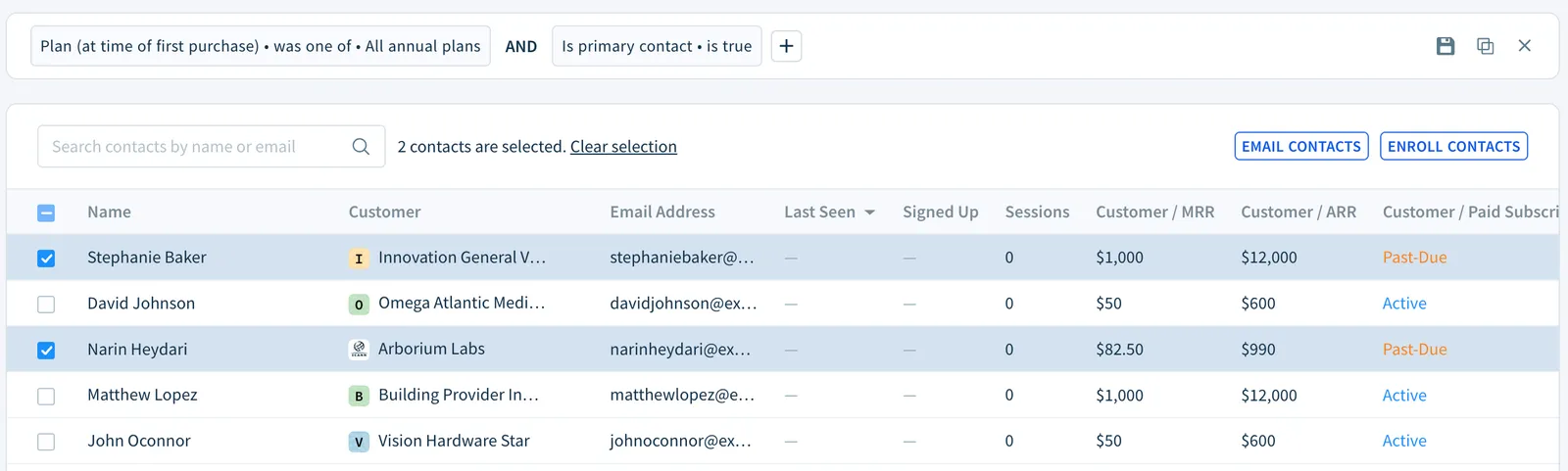
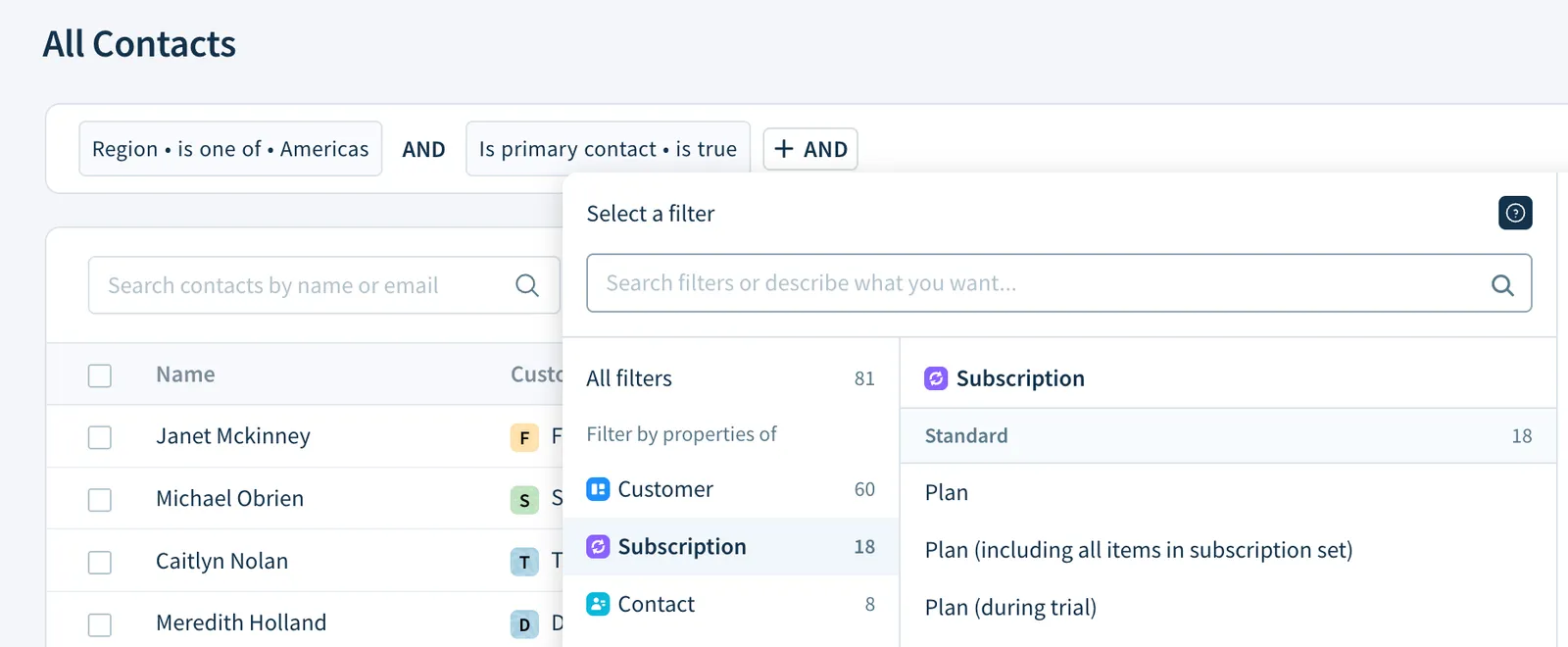
The new Contacts view shows every contact in one place. You can filter on contact, customer, and subscription data and save the result as a list you can come back to.
Because the filters run on your billing data, you can build lists a regular CRM can't:
- Contacts at accounts with a past-due invoice. Reach the right person before an unpaid invoice turns into churn, while there's still a relationship to save.
- Contacts at accounts that have scheduled a cancellation. They're still paying, so you have a window to talk to them before they leave.
- Contacts at accounts that downgraded last month. Ask what changed while it's still fresh.
- Contacts at accounts billed through both Stripe and the App Store. ChartMogul merges every billing system you connect, so you can target people based on how their company pays, including across sources.
- Trial users at accounts on annual plans with ARR above $10K. Mix contact, customer, and subscription filters in one list, without exporting anything.
Saved lists update as your data changes, so you set each one up once.
Contact profiles: context before you hit send
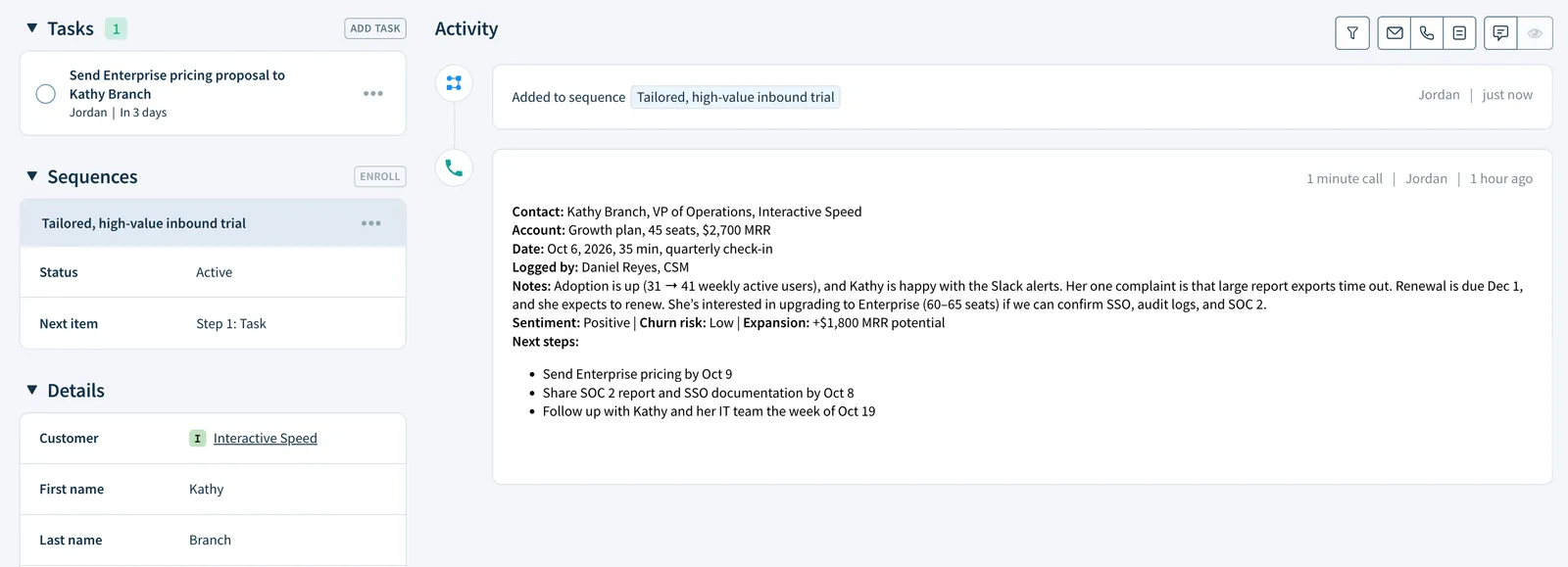
Each contact now has a profile with their details, custom attributes, emails, notes, tasks, and sequence activity on one page.
Before you write to someone, you can see what they've heard from your team, what's open, and where they are in a sequence. You'll also see how their account is doing, because it's all next to their subscription data.
Batch email: personal at scale

Select contacts from any list and send each one a personalized email. Use templates and placeholders to fill in names, company details, and other attributes, then preview each email and edit it before it goes out.
Every email is written to one person, but it no longer takes an afternoon to send twenty of them.
Batch enroll in sequences: follow-ups that run themselves
Some outreach needs more than one email. Select multiple contacts and enroll them all in a sequence at once. This works for:
- Trial follow-ups: a short series for everyone who started a trial this week
- Onboarding: a consistent welcome for contacts at new customer accounts
- Re-engagement: a few check-ins for contacts at accounts that have gone quiet
Using ChartMogul.js? Your contacts are already here
If you've installed ChartMogul.js, your users are already in ChartMogul, along with their last seen date, sign-up date, and session count.
That shows you not only who to contact but when. A trial user who logged in yesterday and a trial user who hasn't been back in a week need different emails, and now you can tell them apart.
Putting it together
Here's one way a team might use it in a week:
- Filter for contacts who were active in your product this week at accounts with a past-due invoice, and save the list.
- Open a few profiles to check for recent conversations or open tasks.
- Enroll the whole list in a short payment-recovery sequence.
- Build a second list of contacts at accounts that have scheduled a cancellation and send each one a personalized check-in by batch email.
That's two pieces of revenue-saving outreach, with no exports and no spreadsheets.
Contact lists, profiles, and batch actions are available now. Head to Contacts in ChartMogul to build your first list.